Understand a phrase in context
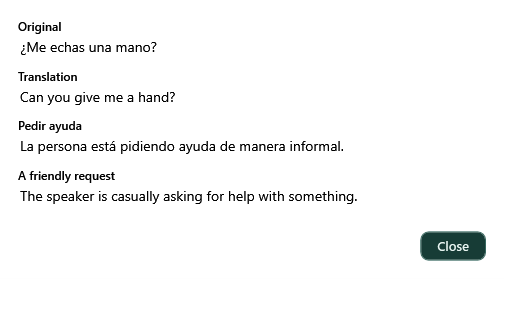
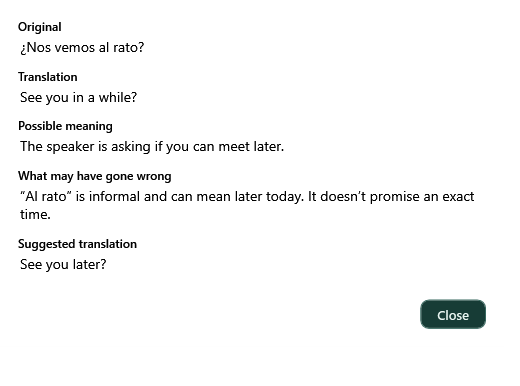
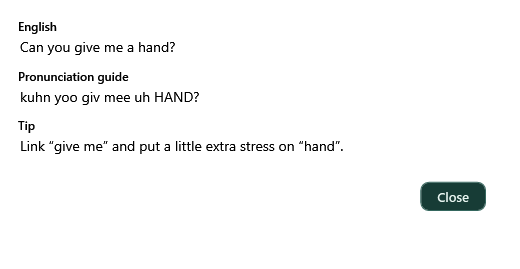
Tap a finished caption to explain an idiom, compare the original with the translation, or get a pronunciation guide.
See the Phrase menu tools¿Me echas una mano?
Can you give me a hand?
A casual way to ask for help.
 Emeraldby NeatThink Labs
Live translation · Windows + Android
Hear both sides of a conversation, even when you speak different languages. Follow live captions and go back to a line when you need its meaning, pronunciation, or a second look.
Downloads Coming Soon
Real conversations move fast. People use idioms, change their minds mid-sentence, and mention names you’ve never heard. Emerald gives you a way to check the lines that didn’t make sense and carry on.
Tap a finished caption to explain an idiom, compare the original with the translation, or get a pronunciation guide.
See the Phrase menu tools¿Me echas una mano?
Can you give me a hand?
A casual way to ask for help.
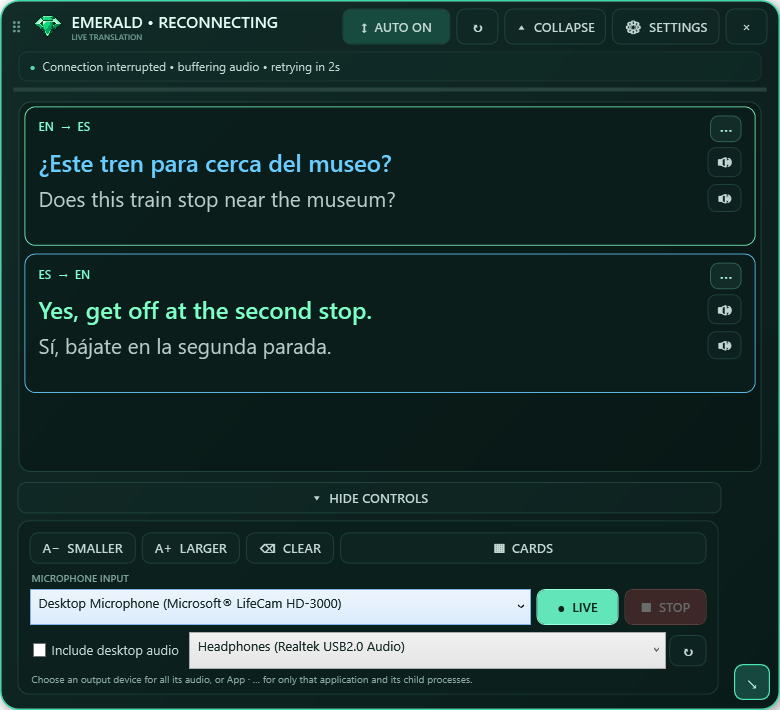
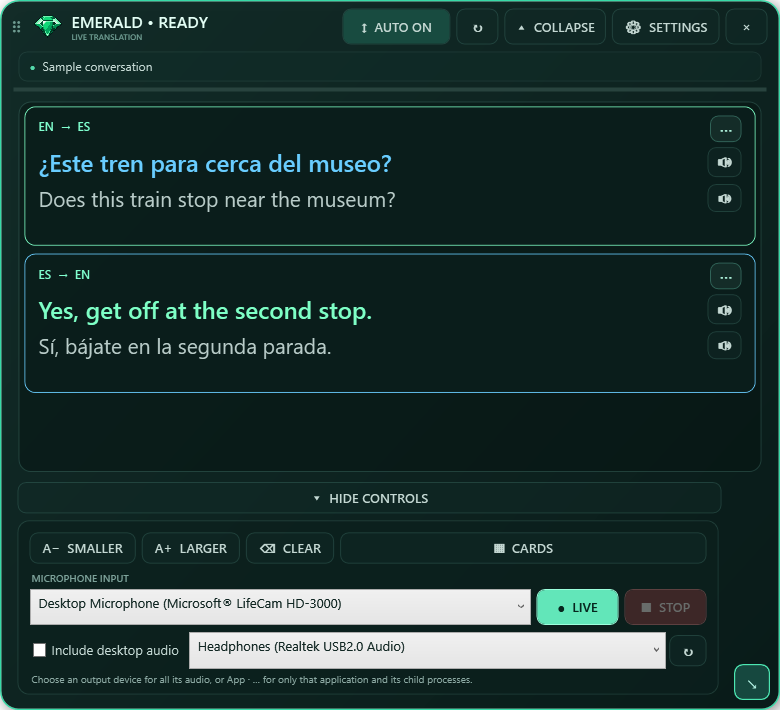
Start a session and see both sides of the conversation in captions as people take turns speaking.
Choose any pair from English, Spanish, Mandarin Chinese, Vietnamese, and French. See the original and translation together.
Try reading the translation yourself to practice the language. Pronunciation guides help with tricky words, and a high-quality AI voice can read a translated phrase aloud when you want to hear it.
Download an available language pack ahead of time. Emerald for Android can switch to offline translation if the connection degrades.
Adjust caption size in either app. Use Focus mode on Android or hide the main controls on Windows.
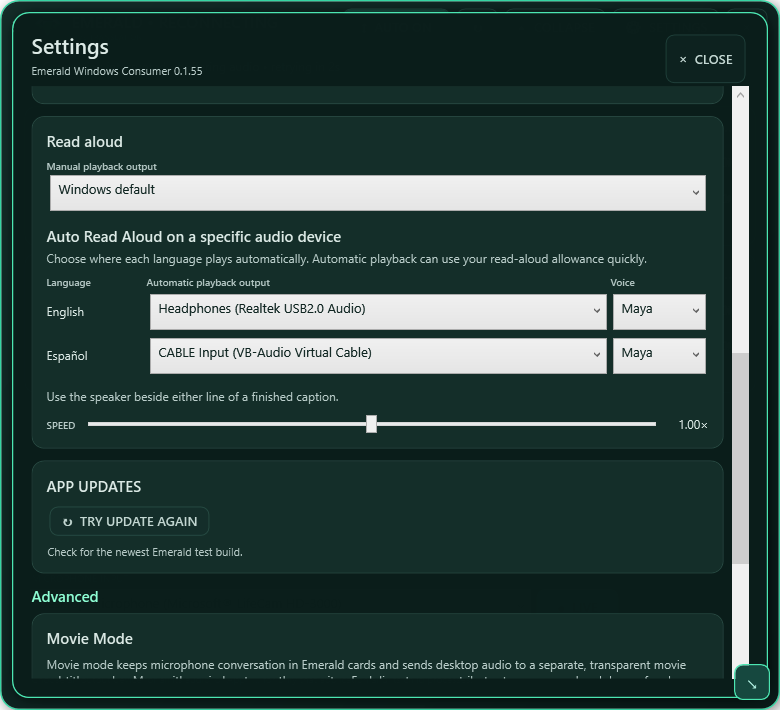
Choose an automatic playback device and voice for each conversation language.
See desktop audio in a separate subtitle window. Your translation hours are used twice as fast when Movie Mode and microphone translation run together.
See how Movie Mode worksFollow conversation cards at your desk, route read-aloud audio, or subtitle desktop audio in Movie Mode.
Windows guide →Translate face to face, download an offline language pair, and adjust the captions for comfortable reading.
Android guide →